Free forever — no credit cardSee plans

What is StockZip?

StockZip is barcode-based inventory management software built for small businesses with real physical stock to manage. Teams use a phone or Bluetooth scanner to check items in and out, track stock across multiple locations, and receive low-stock alerts without spreadsheets or paper logs. StockZip works offline-first, making it ideal for warehouses, vans, and job sites. Try Pro free for 14 days, then fall back to Free for 100 items if you do not upgrade; paid plans start from $14.99/month billed annually.

Built for real stock teams

Simple Inventory Management Software for Small Business

Scan an item. Check it in or out. Done.

StockZip keeps inventory simple for busy teams. Use a phone or scanner to find an item, choose Check In or Check Out, and keep stock, tools, parts, and supplies updated without paper logs.
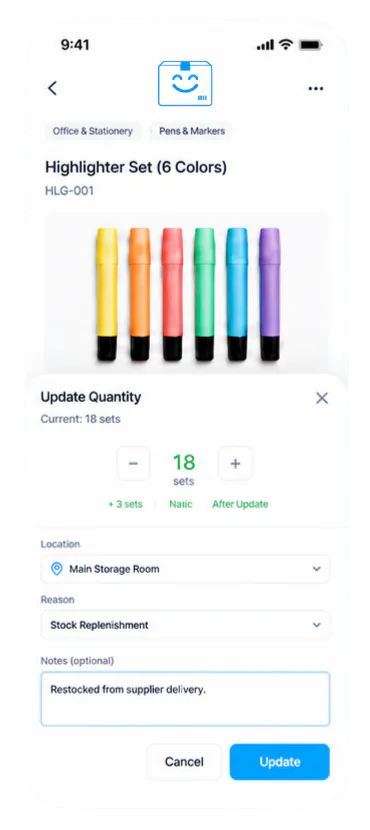
StockZip mobile app showing quantity update controls

Why teams switch

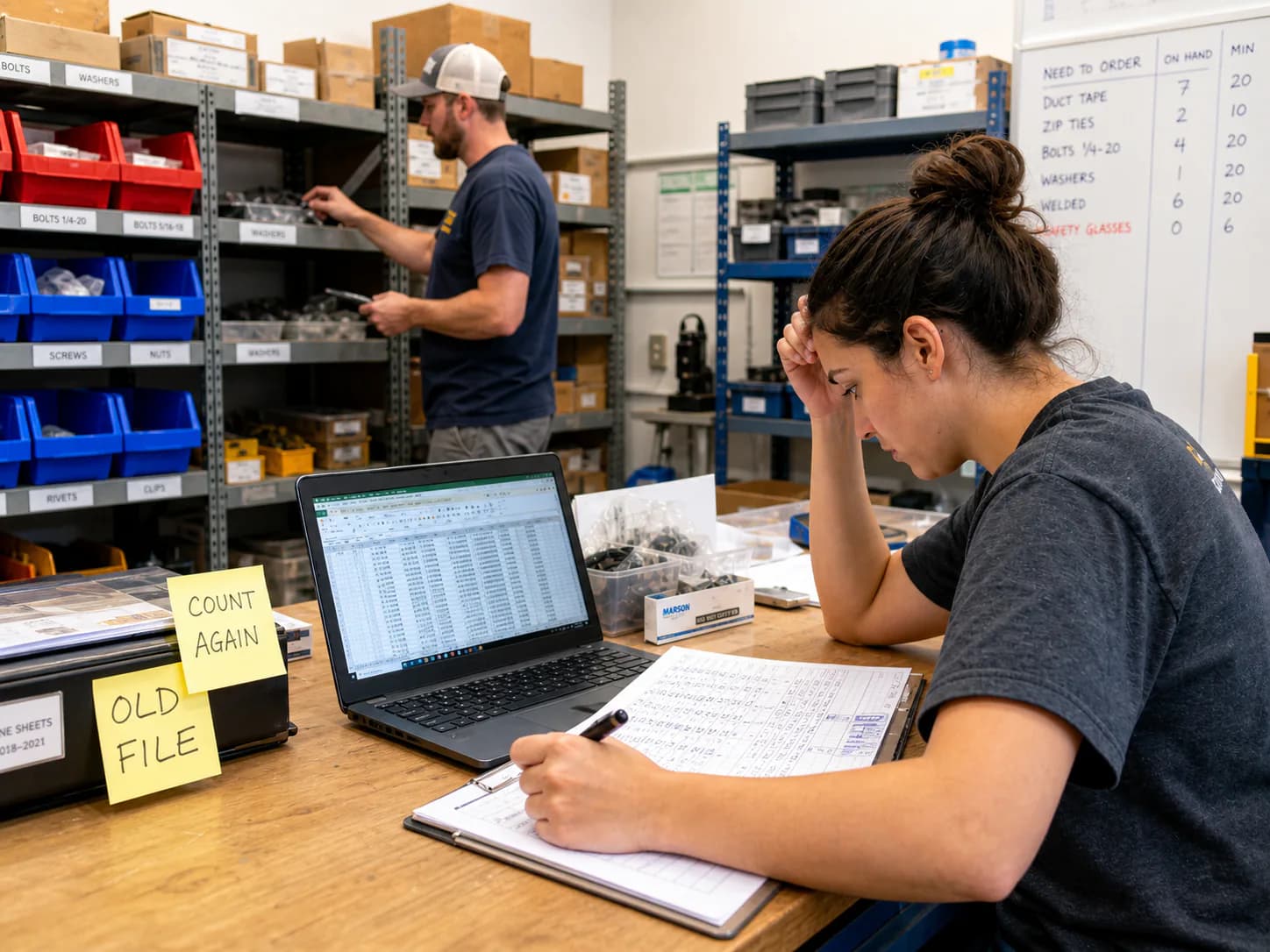
Spreadsheets are fine until inventory leaves the desk

StockZip gives small businesses an inventory workflow that works in the stockroom, on a phone, in a van, and anywhere your team actually handles items.

Spreadsheets fall behind

One person updates a file, another counts on paper, and nobody knows which number is current.

Paper counts waste hours

Monthly counts across stockrooms, vans, and shelves turn into typing, rechecking, and mistakes.

Shared items go missing

Tools, parts, and equipment move between people and places without a clear checkout record.

ERP is too much

Small teams need daily inventory tracking, not a months-long system replacement project.

StockZip inventory workflow replacing spreadsheet tracking

Quick scan

One-touch quick scan everyone can use

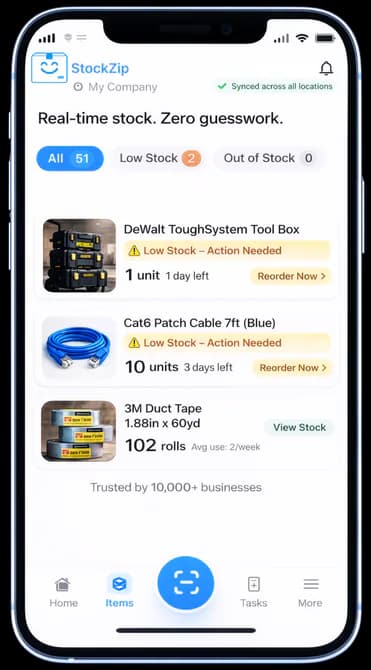
The scan button is always one tap away. Staff can open the scanner, capture a barcode, and see the item's stock status without typing or hunting through folders.

No training required

Works on phone or scanner

Built for stockrooms, vans, and counters

StockZip mobile inventory screen with a one-touch scan button and stock status cards

Scan. Check in/out. Done.

A simple flow your staff can follow

StockZip keeps daily inventory updates small: scan the item, choose the action, and move on.

Step 1

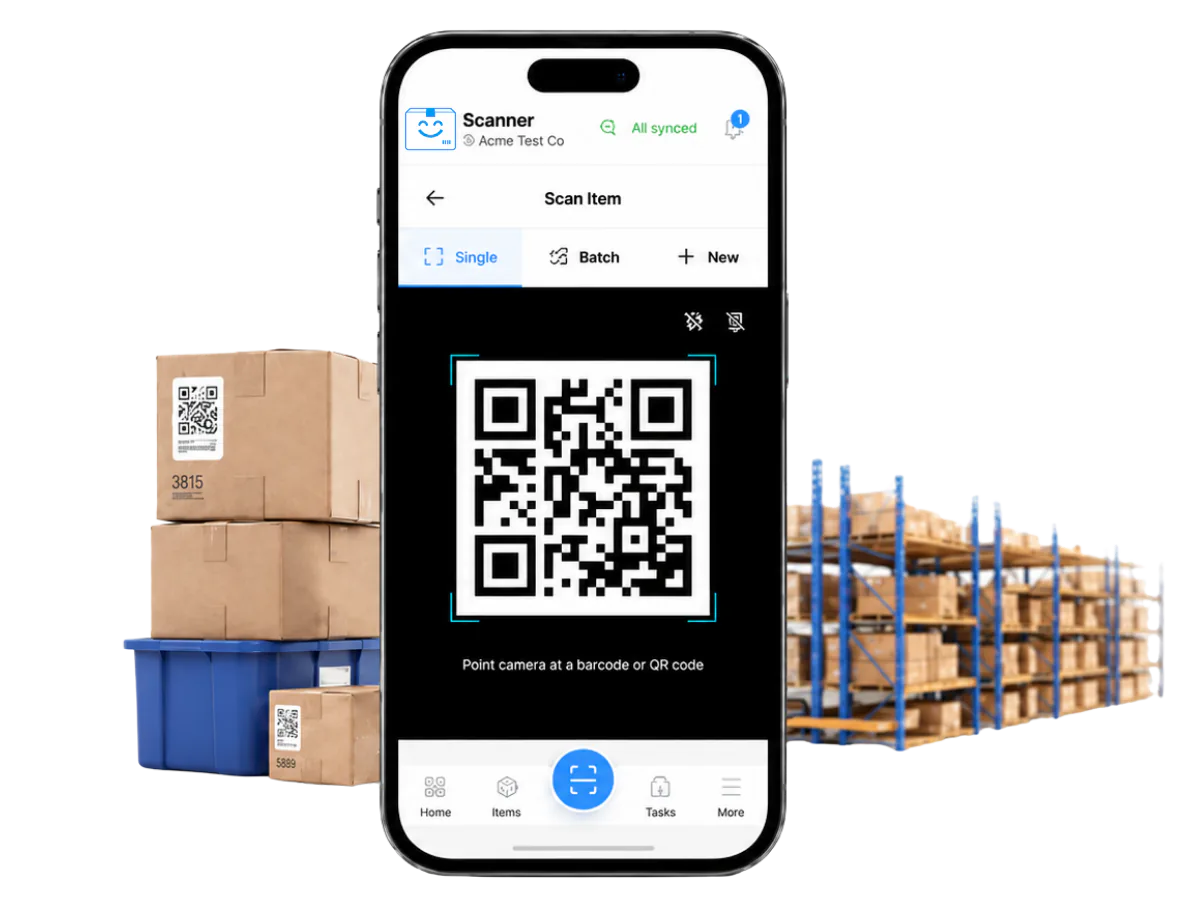
Scan the item.

Use a phone camera, Bluetooth scanner, or rugged scanner to pull up the item without typing.

Scan existing barcodes or QR labels, then keep the same simple flow for stock, tools, parts, and supplies.

Keep scanning in stockrooms, vans, and jobsites. Offline changes sync when the device reconnects.

StockZip phone screen showing barcode scanner, item details, and stock status
Step 2

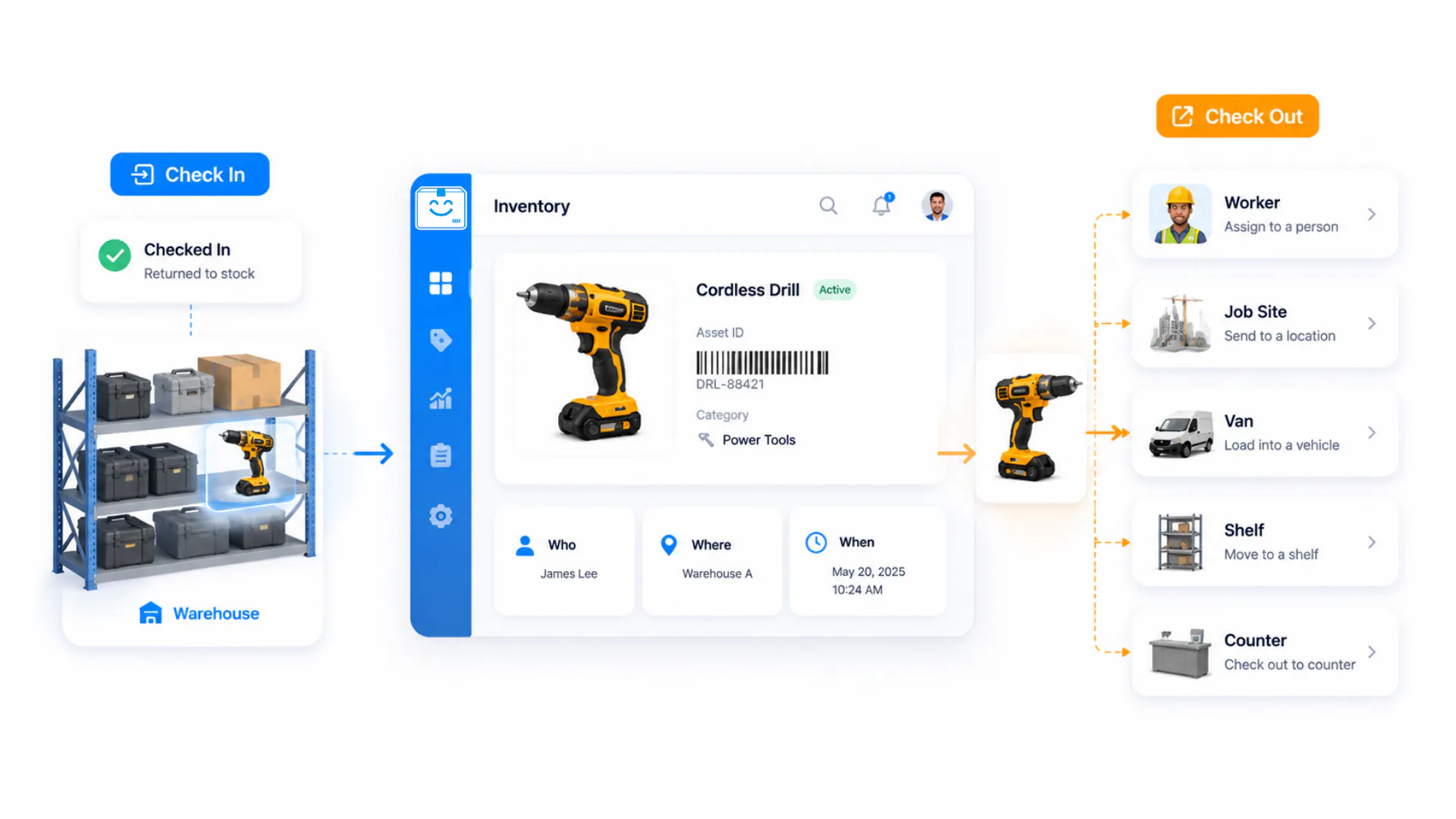
Choose Check In or Check Out.

Check items in when they return, arrive, or move back into stock.

Check items out to a person, location, job, van, shelf, or counter action.

StockZip records who has it, where it went, and when the change happened.

StockZip inventory management dashboard for check-in and check-out workflows
Final Step

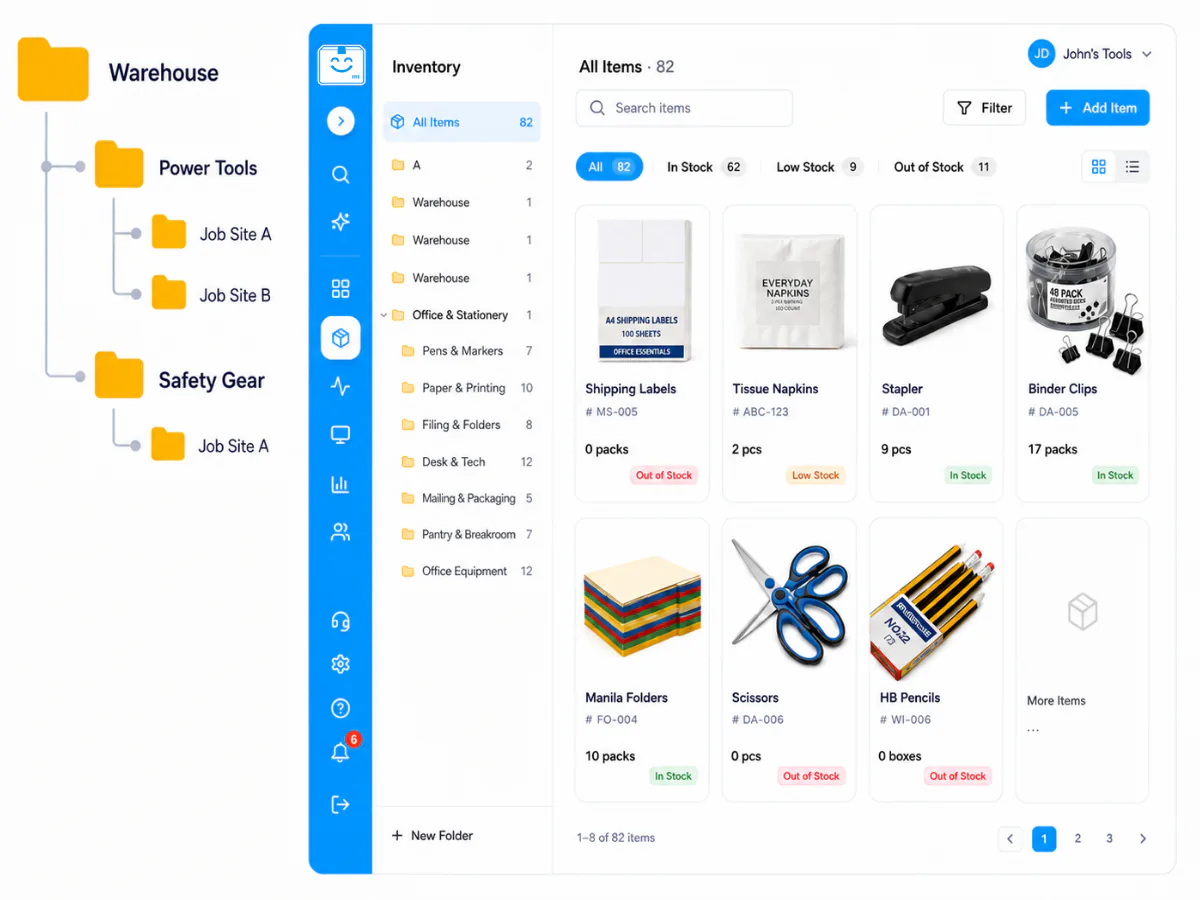
So easy to use: organize inventory like Windows or Mac folders.

Use familiar folders for warehouses, shelves, jobsites, departments, or any setup your team already knows.

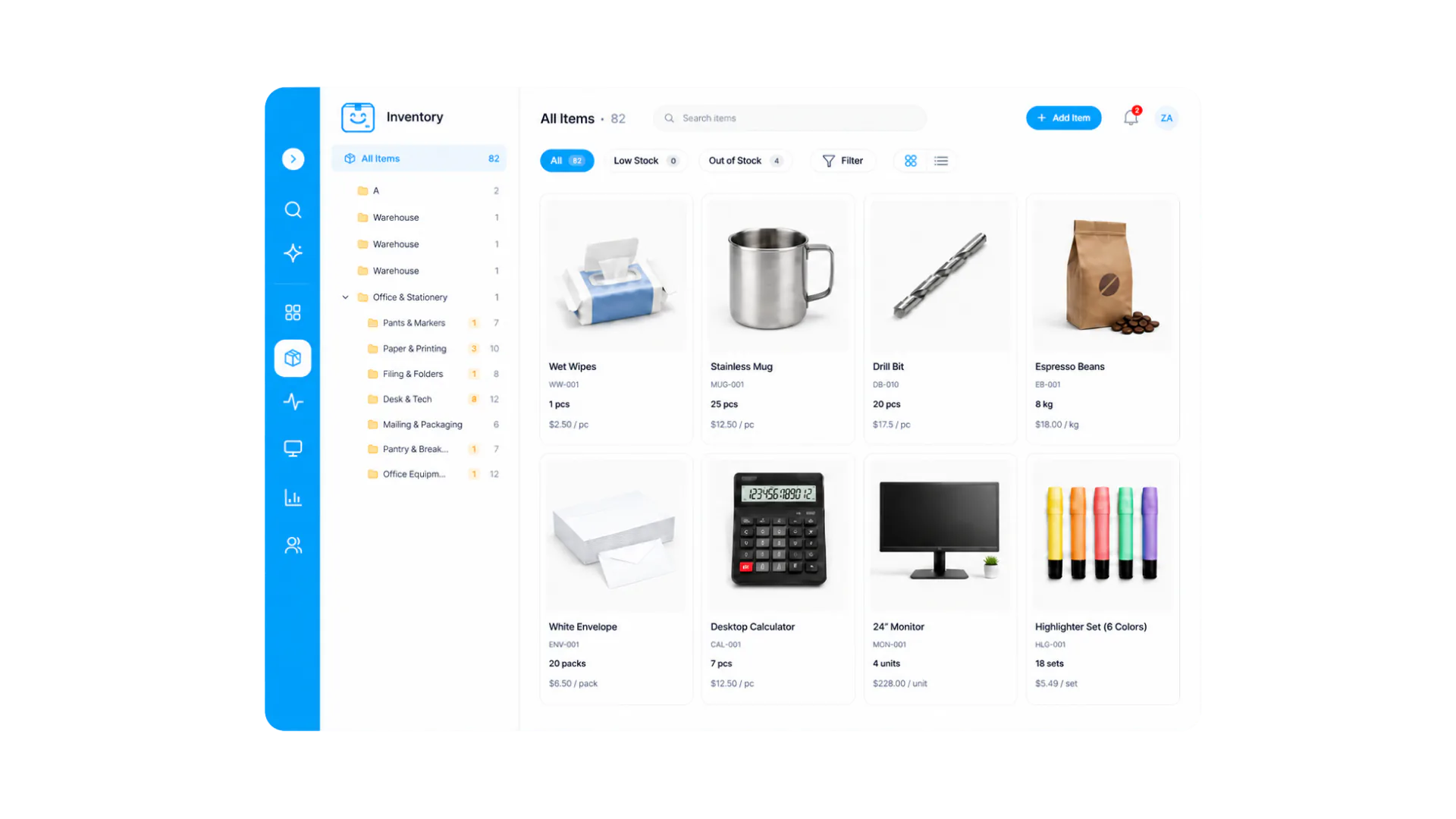
Open a folder to see item photos, counts, and stock status together in one visual inventory grid.

Search, filter, and add stock from the same place, so the final inventory view feels familiar from day one.

StockZip folder tree and visual inventory grid with item photos

Use cases and pricing

Start with the workflows that break spreadsheets first

StockZip works best when physical items move between shelves, people, jobs, and vehicles. Pick the workflow, import your list, then add scanning where accuracy matters.

Pricing

Free foreverNo credit card

Start free, upgrade when you need more

Free for personal use. Move to Starter when your team joins, Pro when you run orders, Ultra when you scale.

$0forever
Items100
Users1
  • Barcode & QR scanning with offline mobile updates
  • Low-stock alerts and basic activity history
  • Excel/CSV import; works alongside your POS or accounting
Paid plans: Starter $16.99 · Pro $55 · Ultra $598 /mo

Questions small businesses ask before switching

Straight answers about spreadsheets, scanners, offline work, existing systems, and the free period.

Yes. StockZip is designed for small businesses that track physical inventory like products, parts, tools, supplies, equipment, and stockroom items without needing an ERP rollout.

Give your team inventory software they will actually use

Start with the spreadsheet you already have, then add barcode scanning, offline updates, check-in/check-out, and low-stock alerts in minutes.