
A good inventory system for small business does not need to start as an ERP project. It needs clear item names, trusted counts, simple locations, and a workflow your team can repeat every day.
Why most small businesses fail at inventory
Most small teams do not fail because they lack effort. They fail because the system depends on memory, spreadsheets, and updates that happen after the work is done.
The pattern is familiar: stock moves from a shelf to a van, a technician uses parts on a job, a purchase arrives, and someone plans to update the spreadsheet later. By the end of the week, the sheet looks precise but no longer matches reality.
• Counts are updated after the fact instead of at the moment inventory moves.
• Locations are too broad, such as "warehouse" instead of shelf, bin, van, or job site.
• Items have inconsistent names, duplicate SKUs, or missing reorder points.
• No audit trail exists when a count changes.
Periodic vs perpetual inventory systems
A periodic system updates inventory after a physical count. It is simple, but the numbers between counts are always stale. A perpetual system updates inventory as transactions happen: receiving, transfers, check-outs, adjustments, and sales.
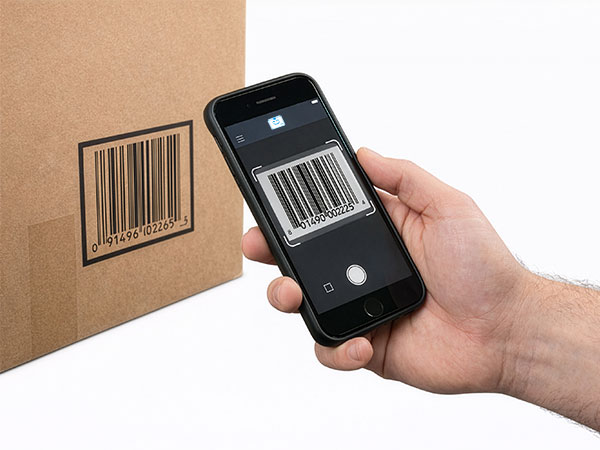
For a small business, perpetual inventory works best when updates are fast. Barcode scanning matters because it turns a stock movement into a short action: scan, choose the movement, confirm.
Set up your inventory system in a day
Start with the items that move most often or cause the most expensive mistakes. You do not need to label every spare screw on day one. Build a trusted core, then expand.
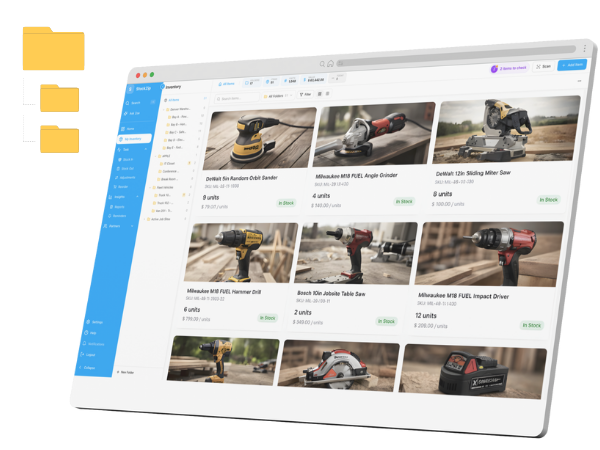
• Create locations for warehouses, vans, job sites, shelves, and bins.
• Clean item names and assign a SKU or barcode to each tracked item.
• Import a spreadsheet or create the first 50-100 important items manually.
• Count starting quantities and record who performed the count.
• Set reorder points for items that cause downtime when they run out.
• Train the team on one rule: scan inventory when it moves, not later.
How to pick the right inventory software
The right tool is the one your team will actually use. For small teams, that usually means mobile access, barcode scanning, CSV import, simple permissions, low-stock alerts, and offline support.
If inventory leaves the desk for job sites, vans, shelves, or counters, desktop-only software will create gaps. Choose software around the physical workflow, not around reports you may never open.
What to measure after launch
After the system goes live, measure whether the basics are improving: fewer stockouts, fewer emergency purchases, faster counts, and fewer "who has it?" conversations.
• Stockout frequency
• Count accuracy by location
• Items below reorder point
• Unreturned tools or checked-out assets
• Time spent on physical counts
What is the easiest inventory system for a small business?
The easiest system is a scan-first workflow with clear locations, consistent item names, and low-stock alerts. StockZip is designed for small teams that need this without ERP complexity.
Can I start with a spreadsheet and move to software later?
Yes. A spreadsheet is a reasonable starting point if the item list is small. Move to inventory software when multiple people update stock, inventory moves between locations, or counts become unreliable.
Do I need barcode labels for every item?
No. Start with high-value items, fast-moving consumables, and anything that causes downtime when missing. Expand labeling as the workflow proves itself.
How often should a small business count inventory?
Use small weekly cycle counts for important items and a broader count monthly or quarterly. Frequent small checks are easier to maintain than one disruptive annual count.
What should an inventory system track?
At minimum, track item name, SKU or barcode, quantity, location, reorder point, supplier, and movement history. Many teams also track cost, serial numbers, lot numbers, and assigned users.