
Early Access: Get 3 Months Free β€” Limited SpotsJoin now
Solution

Warehouse Inventory Management That Stays Accurate

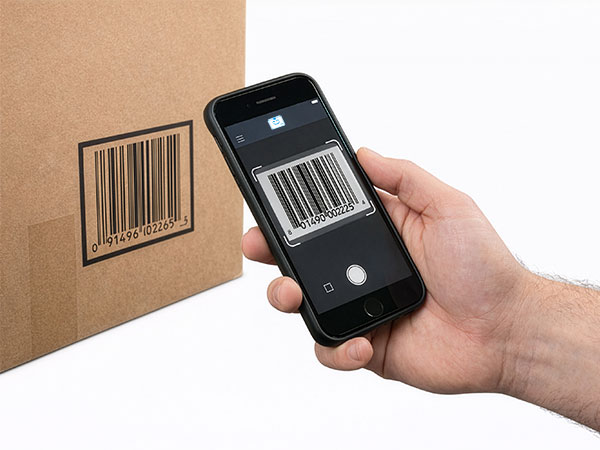
Receive, count, and pick with scan-first workflows. Keep working in dead zones, sync later, and always know who changed what.

Offline-first
Barcode scanning
Multi-user sync

Why Warehouse Inventory Goes Wrong

Common problems that cost warehouses time, money, and customer trust.

Dead Zones Kill Accuracy

Cloud-only apps stop working in the back of the warehouse. Workers give up and update later β€” or not at all.

Counts Do Not Match Reality

Manual entry, paper lists, and end-of-day updates create drift. Nobody trusts the numbers.

No Accountability

When counts are wrong, nobody knows who touched what or when. Disputes and finger-pointing follow.

Warehouse Workflows That Work

Every core warehouse operation, powered by scan-first simplicity.

Receiving

Scan incoming shipments to add inventory instantly. Match against purchase orders, flag shortages, and route items to the correct location.

  • PO matching
  • Shortage/overage alerts
  • Rapid scan mode

Cycle Counts

Run accurate counts without stopping operations. Scan to verify, flag discrepancies, and close gaps with full audit trail.

  • Zone-by-zone counting
  • Variance reports
  • Blind count option

Picking

Find items fast with search and scan. Verify picks before packing to eliminate shipping errors and customer complaints.

  • Pick list verification
  • Wrong-item alerts
  • Location guidance

Built for Real Warehouse Operations

Features designed by teams who manage thousands of SKUs across multiple locations.

Offline-First

Full functionality in dead zones. Scan, count, and adjust without internet. Sync when connected.

Multi-Location

Manage multiple warehouses, zones, aisles, and bins. Full hierarchy with unlimited levels.

Complete Audit Trail

Every adjustment logged with who, when, why. Know exactly what happened and when.

Low Stock Alerts

Get notified before stockouts happen. Set reorder points per item, per location.

Role-Based Access

Control who can adjust, approve, and view. Assign staff to specific locations.

Label Printing

Generate barcode and QR labels. Print on thermal printers or as PDF sheets.

See It In Action

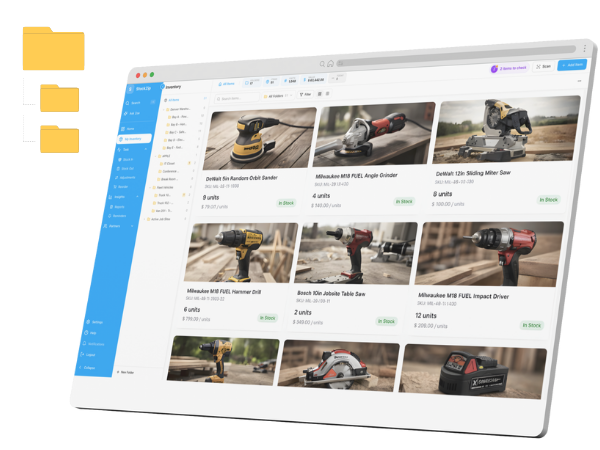
Real warehouse workflows, captured from StockZip.

Cycle count screenshot

Cycle Count with Variance

Flag discrepancies immediately. Review and resolve with one tap.

Receiving workflow screenshot

Scan-to-Receive

Scan incoming items against purchase orders. Spot shortages instantly.

Audit trail screenshot

Complete Audit Trail

Every change logged with who, when, and why. Full accountability.

Ready to trust your warehouse counts?

  • Offline-first scanning
  • Multi-location hierarchy
  • Cycle count workflows
  • Complete audit trail
  • PO receiving
  • Multi-user sync
  • 14-day free trial
  • No credit card required

Frequently Asked Questions About Warehouse Inventory

Common questions from warehouse teams evaluating StockZip.

Yes. StockZip is built offline-first specifically for warehouse environments. Metal racking, concrete walls, and receiving docks often kill connectivity. StockZip keeps working without signal and syncs automatically when you reconnect.

StockZip supports phone cameras for 1D barcodes and QR codes, Bluetooth barcode scanners (Socket Mobile, Zebra, Honeywell), and rugged Android devices with built-in hardware scanners. Use whatever fits your workflow best.

Yes. Every team member can scan simultaneously on their own device. Changes sync in real-time when connected, and offline changes merge automatically when devices reconnect. No conflicts, no double-counting.

Start a cycle count for a zone, location, or full warehouse. Team members scan items and enter counts. StockZip flags discrepancies between expected and actual quantities. Review and approve adjustments with full audit trail.

Yes. StockZip supports hierarchical locations: warehouse β†’ zone β†’ aisle β†’ rack β†’ shelf β†’ bin. Create as many levels as you need. Move items between locations with scan-based workflows.

Yes. Create a receive from a purchase order and scan incoming items. StockZip flags shortages and overages automatically. Close the receive when done and quantities update across your system.

StockZip supports custom fields for serial numbers, lot numbers, expiration dates, and any other item-level data. Search and filter by these fields, and track them through the audit trail.

You control permissions with role-based access. Give staff the ability to adjust, or require manager approval for certain actions. Every adjustment is logged with user, timestamp, and reason.

Warehouse Inventory You Can Trust

Start with a free trial. Import your items, label a few locations, and run your first cycle count.