
Simple inventory
Scan, count, done. No modules, no training manual, no quarterly “implementation” call. If you can use a phone, you can run your stock count today.
Most inventory software starts simple and gets ugly fast. You sign up because the landing page promised “easy.” A week in, you're three layers deep in settings, and the support agent is asking which “module” you want to enable. By month two, the system has more options than your team has time, and someone quietly opens a spreadsheet again.
StockZip is built around a different rule. If a feature would slow down the small-business owner doing the work — adding an item, counting stock, checking something in or out — it doesn't ship in the default experience. You can turn on multi-location, custom fields, and integrations when you actually need them. Until then, the app stays out of your way.
Inventory software has a feature-bloat problem. Vendors compete on bullet-point counts. Every quarter, marketing asks engineering for one more “module” — purchasing, manufacturing, multi-currency, multi-language, multi-everything. None of that is bad on its own. The problem is the default screen. By the time a small-business owner signs in, they're looking at 14 menu items, 60 settings, and a wizard that wants to know their preferred costing method.
The owner doesn't have a preferred costing method. They want to know if they have eight of the blue ones left.
The other complication is onboarding theater. Some inventory tools require a “kickoff call.” Then a data import session. Then training. Then a follow-up “success” check-in. By the time you've done all of it, you've spent more hours setting up the software than you ever spent on your old spreadsheet — and you still haven't counted a single item.
StockZip's bet is that simplicity isn't a feature you add. It's a feature you protect. We measure every new addition against one question: does the median user need this on day one? If no, it hides in settings. If still no, it doesn't ship at all.
The result: people who sign up usually have a working inventory by lunch. Some are done before their coffee gets cold.
Here's what we cut on purpose:
You don't need a guide for this. But for the curious, here's day one in five steps:
Email and password. No credit card.
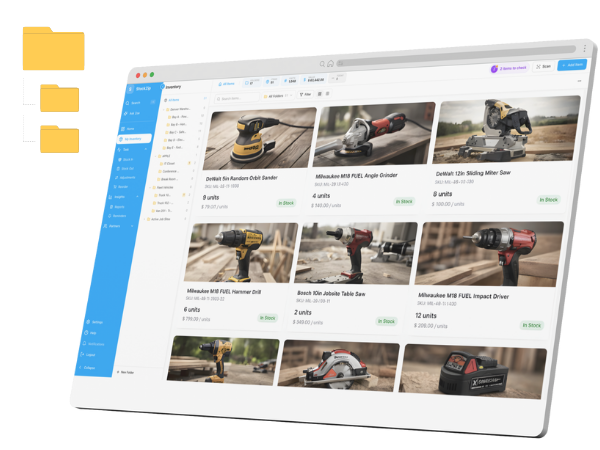
Name, quantity, optional photo. Skip the rest — every field has a sensible default.
Print QR labels from the web app, or stick existing barcodes from manufacturer packaging.
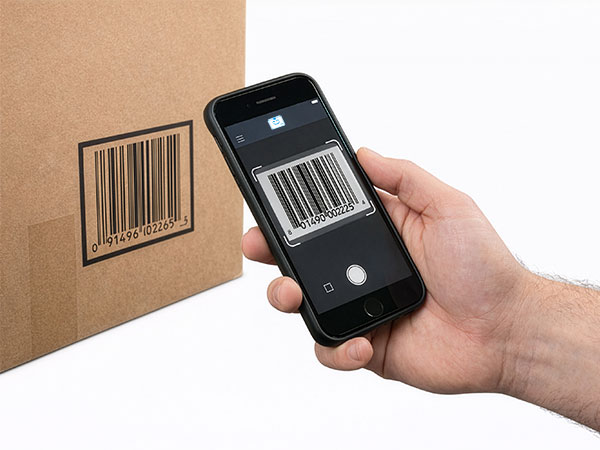
Open the mobile app, point the camera at each label, confirm the count.
Invite a teammate or close the laptop. Real inventory, in 10 minutes.
That's the actual setup. There's no step six. The “advanced” stuff — multi-location, vendor management, low-stock alerts, custom fields — lives in settings for when you need it.
Four features carry the whole product. Everything else hides until you need it.
Your phone is the scanner. Point, scan, adjust. No external hardware, no plugins, no Bluetooth pairing rituals.
Three primary actions — scan, add, count. We hid every “module” you don't need behind a settings page.
Edit on the phone, see it on the laptop. No refresh, no “version of the truth” debate.
Every quantity change records who, when, and why. Disputes get settled in 10 seconds, not 10 emails.
| Criteria | Spreadsheet | StockZip |
|---|---|---|
| Setup time | A day building columns | 10 minutes |
| Version conflicts | Constant ("which copy is right?") | None — one live record |
| Mobile access | Painful pinch-zoom | Native iOS / Android app |
| Audit log | None | Every change tracked with user + reason |
| Low-stock alerts | Manual conditional formatting | Built-in, with push notifications |
| Scan-based count | Not possible | Phone camera reads any barcode |
| Multi-user editing | Edit collisions, overwrites | Real-time sync across devices |
| Cost | Free | Free up to 100 items, then per-user |
Free up to 100 items for a single user — enough to run a real micro-business. Paid plans start with a flat monthly per-user price and add barcode scanning at higher volume, multi-location, and integrations. No setup fees, no minimum seats, no annual contract required. Full plan breakdown at /pricing.
Don't take our word for it — the only way to know if a tool is actually simple is to try it. Sign up, add five items, do a count from your phone. If you're not running real inventory in 10 minutes, close the tab. No card required.
Straight answers about spreadsheets, scanners, offline work, existing systems, and the free period.
Sign up, add five items (name, quantity, optional photo), print or stick labels, do a count by scanning your phone over them. That's the whole onboarding. Most people are done in under 15 minutes.